15 Best AI Search Engines in 2026: Features, Comparison & Guide
Traditional search gives you ten blue links and leaves you to do the heavy lifting. AI search engines flip that workflow—reading the web for you, synthesizing multiple sources, and handing back a cited answer you can interrogate with follow-up questions.
Not every tool handles that job the same way. Some shine at quick daily lookups, others dig through peer-reviewed papers, and a few prioritize keeping your queries off corporate servers. Here is how the top 15 AI search engines stack up in 2026, how they work under the hood, and which one fits your workflow.
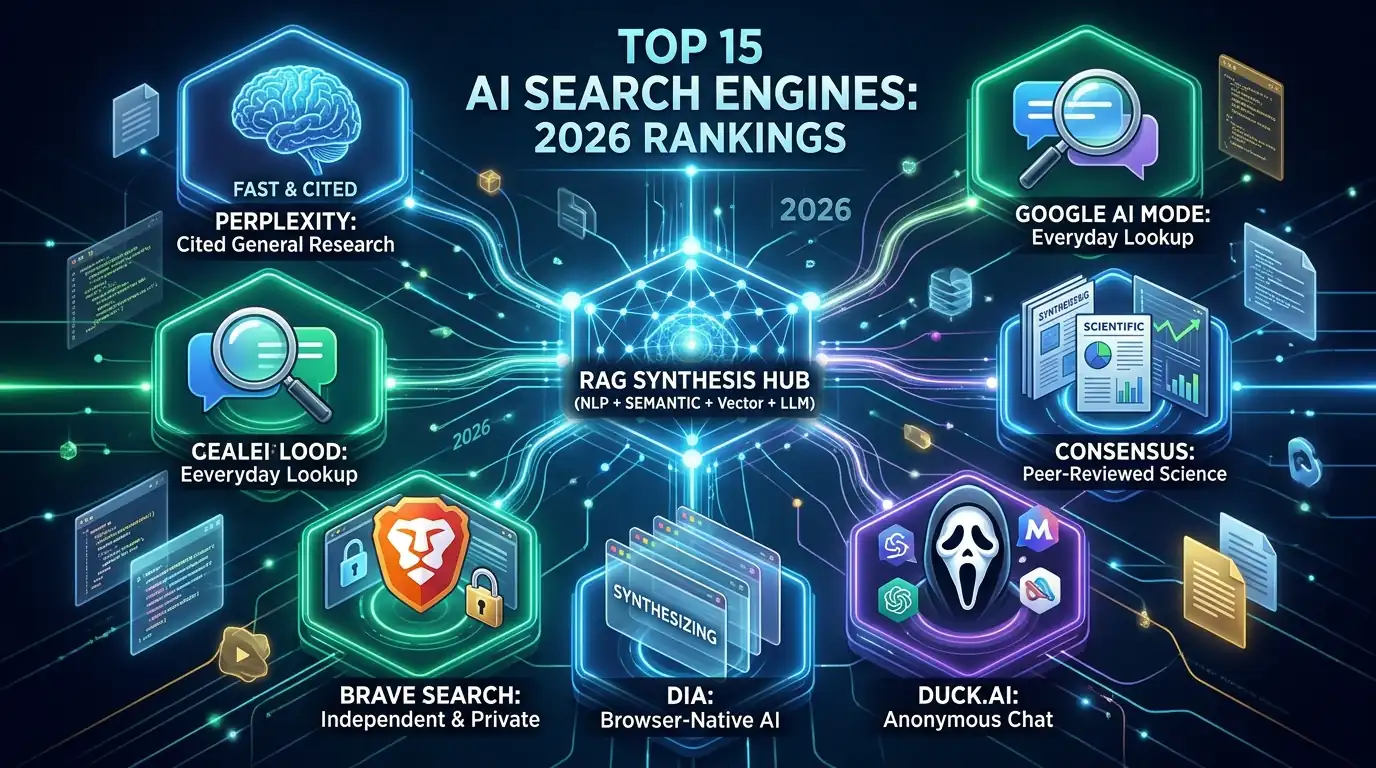
Best AI Search Engines at a Glance
| AI Search Engine | Best For | Main Advantage |
| Perplexity | General research | Fast, inline-cited synthesis |
| Google AI Mode | Everyday lookups | Seamless integration with Google Search |
| ChatGPT Search | Deep follow-ups | Iterative research and content drafting |
| Microsoft Copilot | Workplace productivity | Bing search paired with Microsoft 365 |
| Brave Search | Privacy-first search | Independent web index with Ask Brave |
| You.com | Multi-model research | Custom AI agents and model switching |
| Komo AI | Team research workflows | Structured playbooks and ad-free discovery |
| Duck.ai (DuckDuckGo) | Anonymous AI chat | IP-stripped access to frontier LLMs |
| Consensus | Academic research | Peer-reviewed scientific paper synthesis |
| Kagi | Search customization | Ad-free results with custom domain ranking |
| Wolfram Alpha | Math & hard data | Exact symbolic computation over curated data |
| Dia | AI-native browsing | Cross-tab synthesis inside the browser |
| Lenso.ai | Visual discovery | AI-powered reverse image matching |
| IBM Watson Discovery | Enterprise knowledge | Internal PDF and corporate database search |
| Claude with Web Search | Complex source analysis | Long-context reasoning with live web citations |
Traditional Search vs. AI Search
Traditional engines crawl the web, index pages, and rank links based on relevance and authority. AI search engines add a reasoning layer on top—interpreting natural language and synthesizing facts before you ever click a URL.
- Output: Links to explore yourself vs. direct answers ready to read.
- Synthesis: Opening ten tabs to compare viewpoints vs. getting one consolidated summary.
- Interaction: Rigid keyword phrasing vs. natural conversation with follow-up context.
- Verification: Checking domain authority manually vs. auditing inline source citations.
- Risk: Outdated or SEO-gamed links vs. occasional AI hallucinations that require fact-checking.
How AI Search Engines Work Under the Hood
Most AI search engines rely on a pipeline of five core technologies:
- Natural Language Processing (NLP) & Machine Learning: Decodes user intent and conversational nuance instead of forcing you to think in robotic keywords.
- Semantic Search & Vector Embeddings: Converts words into numerical vectors so the engine matches meaning rather than exact string matches.
- Search Indexing & Live Crawlers: Pulls fresh data from proprietary web indexes (like Google, Bing, or Brave) or third-party search APIs.
- Retrieval-Augmented Generation (RAG): Fetches live web pages first and feeds them to the AI as source material, anchoring answers in current facts rather than stale training data.
- Large Language Models (LLMs): Uses transformer architecture to read the retrieved pages and write a coherent, cited response.
The 15 Best AI Search Engines & Research Tools in 2026
1. Perplexity – Best for General Research
Perplexity remains the benchmark for dedicated answer engines. Ask a question, and it scans live sources, structures a clean summary, and drops clickable inline citations throughout the text. Its free tier handles daily queries well, while paid tiers unlock deep research modes and frontier reasoning models.
2. Google AI Mode – Best for Everyday Search
Built directly into Google Search, AI Mode turns multi-step queries into a continuous conversation without forcing you to run separate searches. It draws directly from Google’s massive index and knowledge graph—though like any LLM layer, its summaries still warrant a quick click on the source links for high-stakes facts.
3. ChatGPT Search – Best for Iterative Research
ChatGPT Search pairs OpenAI’s conversational interface with live web retrieval. Where it stands out is what happens after the search: you can immediately ask it to turn the cited findings into a comparison table, draft a memo, or stress-test an argument in the same thread.
4. Microsoft Copilot – Best for Microsoft 365 Workflows
Powered by Bing, Copilot combines web search with deep hooks into Windows, Edge, and Microsoft 365. If your workday already lives inside Word, Excel, and Teams, Copilot bridges live web data directly into your documents.
5. Brave Search – Best for Privacy
Most “independent” AI search tools quietly rent results from Bing or Google. Brave runs its own independent web index and pairs it with Ask Brave, a unified interface that blends standard search links with conversational AI answers—without profiling users or logging IP addresses.
6. You.com – Best for Multi-Model & Agentic Research
You.com has evolved into a flexible research hub that lets you switch between multiple frontier LLMs and deploy custom research agents. It is particularly strong for power users and enterprise teams who don’t want to be locked into a single AI provider’s ecosystem.
7. Komo AI – Best for Structured Research Playbooks
Komo blends private, ad-free search with collaborative research workflows. Instead of losing findings in an endless chat scroll, you can organize web discoveries into repeatable playbooks—making it handy for content teams and market researchers.
8. Duck.ai (DuckDuckGo) – Best for Anonymous AI Chat
Formerly DuckDuckGo AI Chat, Duck.ai isn’t a web crawler—it’s an anonymized privacy shield for popular LLMs (including GPT, Claude, and Mistral). DuckDuckGo strips your IP address and metadata before passing prompts along, giving you private AI assistance alongside its traditional search engine.
9. Consensus – Best for Academic Research
Skip blog-spam and SEO listicles. Consensus searches exclusively across peer-reviewed scientific literature, synthesizing findings across studies and showing whether published research agrees or disagrees on a given claim—complete with direct paper citations.
10. Kagi – Best for Search Control
Kagi flips the ad-supported search model with a paid subscription that puts you in charge of the algorithm. You can up-rank trusted domains, permanently block low-quality sites, and use its built-in AI assistant to summarize clean, ad-free results.
11. Wolfram Alpha – Best for Math & Hard Data
Wolfram Alpha isn’t an LLM web crawler; it is a computational knowledge engine built on curated datasets and symbolic algorithms. When you need exact calculus solutions, scientific modeling, or structured statistical comparisons—areas where generative AI still stumbles—Wolfram gets the math right.
12. Dia – Best for AI-Native Browsing
Built by The Browser Company as the successor to the sunsetting Arc browser, Dia bakes AI search directly into your browser tabs. Instead of copy-pasting URLs into a chatbot, you can ask Dia to cross-reference open tabs, summarize articles on the fly, and pull live web context while you browse.
13. Lenso.ai – Best for Reverse Image Search
Text queries only go so far. Lenso.ai uses computer vision to run AI-powered reverse image searches—helping you track down original image sources, identify landmarks or products, and find visually similar photos across the web.
14. IBM Watson Discovery – Best for Enterprise Knowledge
While consumer tools search the public internet, IBM Watson Discovery indexes what’s behind your company firewall. Built for B2B environments, it uses NLP to extract answers from dense internal PDFs, legal contracts, and corporate databases.
15. Claude with Web Search – Best for Deep Source Analysis
Anthropic’s Claude pairs massive context windows with live web search and inline citations. It shines when your research goes beyond a quick lookup—such as uploading a 100-page report and asking Claude to fact-check its claims against current web sources.
Where AI Search Delivers the Most Value
- Rapid topic onboarding: Getting up to speed on an unfamiliar subject in minutes instead of hours.
- Literature reviews: Finding and comparing peer-reviewed studies without manual database slog.
- Competitive & market research: Pulling pricing, product specs, and recent news into structured comparisons.
- Technical troubleshooting: Synthesizing documentation, GitHub issues, and forum threads into a working fix.
- Content production: Gathering verifiable statistics and primary sources with built-in attribution links.
The Trade-Offs: What to Watch Out For
- Confident hallucinations: LLMs can misread a source or stitch two unrelated facts together. Treat citations as mandatory verification links, not decorative footnotes.
- Freshness gaps: Not every tool hits the live web for every prompt; always check timestamps on fast-moving topics.
- Data privacy: Free platforms often retain queries to improve models. Read retention policies before pasting sensitive code or company data.
- Source bias: If the top-ranking web pages share a blind spot, the AI summary will echo it.
- Paywalls for power features: Basic searches are widely free, but deep research agents and top-tier reasoning models sit behind $20+/month subscriptions.
Which One Should You Pick?
| If You Are a… | Start With… |
| Student or Academic | Consensus, Perplexity |
| Developer | Claude, ChatGPT Search, Brave Search |
| Marketer or Writer | Perplexity, Google AI Mode, Komo AI |
| Privacy Purist | Brave Search, Duck.ai, Kagi |
| Enterprise Team | IBM Watson Discovery, You.com |
| Everyday Browser | Google AI Mode, Dia |
Frequently Asked Questions
What is the best overall AI search engine in 2026?
For pure speed and source transparency, Perplexity is the strongest all-rounder. If you want seamless integration into your daily habits, Google AI Mode and ChatGPT Search are close contenders.
Which AI search engines are free?
Perplexity, Google AI Mode, ChatGPT Search, Brave Search, Duck.ai, You.com, and Claude all offer capable free tiers, reserving advanced deep-research modes and higher rate limits for paid plans.
Will AI search completely replace traditional search?
Unlikely. AI excels at synthesis and answering complex questions, while traditional search remains faster for navigating to specific sites, local shopping, and browsing primary sources directly. Most people now use both side by side.