
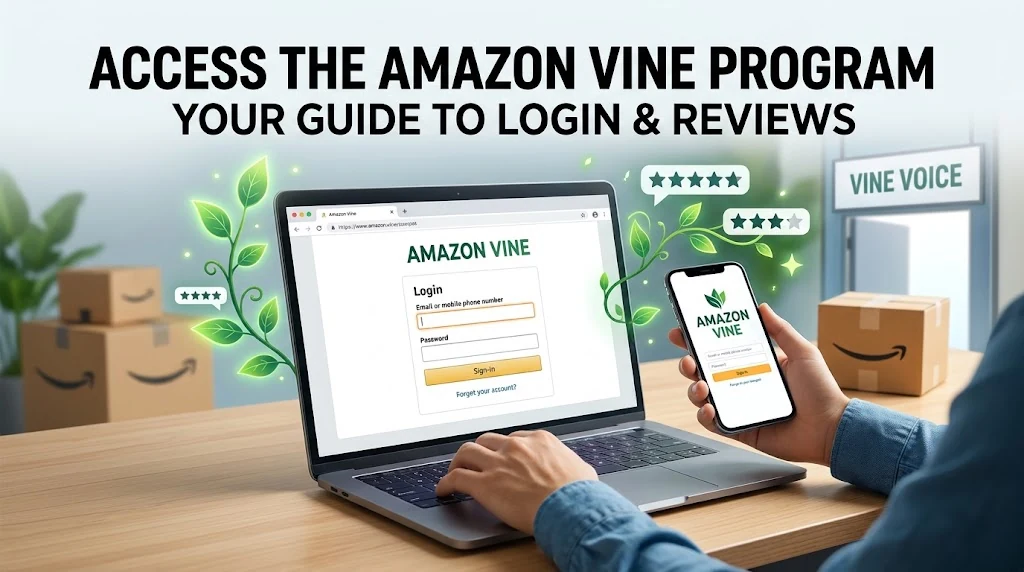
Amazon Vine Login Guide: How to Sign In and Fix Access Issues
If you want to access Amazon Vine, visit the official Amazon Vine page and sign in with your existing Amazon account. You do not need a separate Vine password. However, Amazon Vine reviewer access is invitation-only, so signing in with a regular Amazon account does not automatically give you access to the Vine dashboard.
If you are an Amazon seller, you can access the seller-side Vine program through Amazon Seller Central, provided your account and products meet Amazon’s eligibility requirements. Amazon’s official Vine documentation explains the program and its current seller requirements.
Key Takeaways
- Official login: Use Amazon’s official Vine page and your existing Amazon credentials.
- Reviewer access: Amazon invites selected customers to become Vine Voices.
- Seller access: Eligible sellers manage Vine through Seller Central.
- Login problems: Check your account, password, verification method, and reviewer eligibility.
- Seller fees: Enrollment costs depend on the number of units enrolled and the marketplace.
- Account security: Never share your Amazon password or verification codes with unofficial websites.
How to Access the Amazon Vine Login Page
The correct login route depends on whether you participate as a reviewer or sell products through Amazon.
Amazon Vine login for reviewers
Follow these steps to access your reviewer account:
- Open the official Amazon Vine website.
- Select the sign-in option if Amazon prompts you to log in.
- Enter the email address or mobile number associated with your Amazon account.
- Enter your password and complete any requested security verification.
- If Amazon has granted your account Vine access, open the available Vine dashboard.
If you can access your regular Amazon account but cannot open Vine, check whether Amazon has invited you to participate. Reviewer access is not available to every Amazon customer.
Amazon Vine login for sellers
Sellers follow a different route.
- Visit Amazon Seller Central.
- Sign in using your selling account credentials.
- Open the Advertising menu.
- Select Vine, if the option is available.
- Review your eligible products and enrollment status.
Amazon may restrict access if your selling account, brand permissions, or product listings do not meet the program requirements.
What Is the Amazon Vine Program?
Amazon Vine is a product review program that connects selected Amazon customers with products submitted by participating sellers. Amazon invites these reviewers, known as Vine Voices, based on the insightfulness of their published reviews.
Vine Voices can request eligible products at no cost and share honest feedback about their experiences. Amazon identifies these reviews with a disclosure indicating that the reviewer received a free product.
The program serves two groups:
- Reviewers: Receive opportunities to try eligible products and publish honest reviews.
- Sellers: Enroll qualifying products to make them available to Vine reviewers.
Vine reviews may be positive, neutral, or negative. Sellers cannot require a positive review or dictate a reviewer’s opinion. Amazon’s Community Guidelines explain the requirements for honest, unbiased reviews.
Amazon Vine Login Membership Tiers
Amazon Vine has used Silver and Gold membership tiers in supported marketplaces. The available benefits and requirements may vary by marketplace and program rules.
Silver membership
Silver represents a lower tier within the tiered Vine program. Members can access eligible products available to their accounts, subject to the program’s current limits.
Gold membership
Gold is a higher tier that can provide access to a broader selection of products or higher ordering limits, depending on the applicable marketplace rules.
How membership evaluations work
Amazon considers the quality and insightfulness of reviewers’ contributions when selecting and maintaining Vine Voices. Reviewers should focus on detailed, honest feedback rather than trying to manipulate their standing through repetitive or low-quality reviews.
Do not rely on unofficial claims about a fixed Review Insightfulness Score or guaranteed promotion criteria. Check the information available in your own Vine account for current requirements.
Who Qualifies for Amazon Vine Login Access?
Amazon Vine reviewer access is invitation-only. There is no general public application form that guarantees entry into the program.
Reviewer invitation requirements
Amazon selects customers based on their review contributions and the usefulness of their feedback. The company does not guarantee invitations to customers who meet any particular review count.
To improve the usefulness of your reviews:
- Describe the product’s actual performance.
- Explain relevant features and limitations.
- Include helpful details that support other customers’ decisions.
- Keep your opinions honest and independent.
- Follow Amazon’s review policies.
Can you apply to become an Amazon Vine reviewer?
You cannot guarantee admission by submitting a public application. Continue contributing genuine, useful product reviews through your regular Amazon account and watch for an official invitation.
Be cautious of third-party websites that claim to sell Vine membership or promise guaranteed access in exchange for payment.
Amazon Vine Review Insightfulness Score
Review insightfulness refers to how useful a review is to other customers. Amazon states that it selects Vine Voices based on the insightfulness of reviews they have published.
What the score means
Some third-party articles describe a specific Review Insightfulness Score. However, you should not assume that Amazon provides every reviewer with a public numerical score or a fixed threshold for admission.
How review quality affects membership evaluations
Write reviews that explain what worked, what did not, and what a potential buyer should consider. Avoid copying product descriptions or posting generic comments that offer little practical information.
Amazon makes its own selection decisions, so strong reviews do not guarantee a Vine invitation.
Amazon Vine Seller Enrollment and Fees
Amazon sellers can use Vine to collect reviews for eligible products. However, participation requires an eligible selling account and qualifying listings.
Seller account and Brand Registry requirements
For the US marketplace, Amazon’s published requirements include a Professional selling account, an appropriate Brand Representative or Reseller role associated with a brand enrolled in Amazon Brand Registry, and an active Fulfillment by Amazon (FBA) listing.
Requirements can differ for particular account types and marketplaces, so consult the official seller documentation before enrolling.
Amazon Vine product eligibility
Amazon’s US guidance identifies several product requirements:
- An eligible FBA offer.
- Fewer than 30 reviews on the product detail page.
- A product image and description.
- Available inventory for fulfillment.
- Compliance with Amazon’s product restrictions.
Adult and digital products are among the excluded categories. Amazon may also apply other listing and product eligibility conditions.
Amazon Vine enrollment fees
According to Amazon’s published US fee schedule, the enrollment fee per parent product is based on the number of units enrolled.
| Units enrolled | US enrollment fee |
|---|---|
| Up to 2 | $0 |
| 3–10 | $75 |
| 11–30 | $200 |
Amazon’s fee rules include timing conditions. For the US program, the published guidance states that the enrollment fee is charged after the applicable period when a qualifying Vine review has been published. If no review is received within 90 days of enrollment, Amazon states that the seller will not be charged.
These figures apply to the US marketplace and may change. Check Amazon’s official Vine seller page before making enrollment decisions.
Amazon Vine Login Dashboard Sections
The dashboard helps users manage their participation in the program. The available features depend on whether you are a reviewer or a seller.
Available products and reviewer activity
Vine reviewers can view eligible products offered through their accounts, request products under the program’s rules, and manage their review activity.
Product availability changes, and reviewers cannot assume that a particular item will remain available.
Seller product management
The seller dashboard provides information about enrolled products, including enrollment status, units claimed, reviews published, and possible blockers.
Amazon’s Vine product management documentation explains how sellers can review enrollment details and manage eligible listings.
Amazon Vine Tax and Cost Considerations
Amazon Vine products are free to reviewers, but that does not automatically mean they have no tax implications.
Are Amazon Vine products taxable?
Amazon states that Vine Voices are responsible for income tax on the products they receive. The actual tax treatment depends on the applicable jurisdiction and individual circumstances.
Understanding tax reporting requirements
Do not assume that the same reporting thresholds or rules apply in every country. If you participate in Vine, consult the tax authority in your jurisdiction or a qualified tax professional to understand your obligations.
Sellers should also consider product costs, fulfillment expenses, applicable selling fees, and Vine enrollment charges when evaluating program participation.
How to Fix Amazon Vine Login Problems
If Amazon Vine login is not working, identify the specific problem before changing account settings.
1. Incorrect email address or password
Confirm that you are using the Amazon account associated with your Vine invitation. If you cannot remember your password, use Amazon’s official account recovery process rather than a third-party password-reset service.
2. Two-step verification code not working
Check that you are using the latest code and that you selected the correct verification method. If Amazon offers another recovery option, follow the instructions shown on its official sign-in page.
3. Amazon Vine dashboard not appearing
A missing dashboard does not necessarily indicate a technical error. Confirm that you have received a Vine invitation and signed in with the associated account. If you are a seller, check your brand permissions and product eligibility.
4. Account locked after repeated login attempts
Stop repeated attempts and follow the account recovery instructions Amazon provides. Avoid using unofficial services that promise to unlock accounts.
5. Browser, cache, and mobile access issues
If the login page behaves unexpectedly:
- Update your browser.
- Try a private browsing window.
- Clear Amazon-related cookies if necessary.
- Temporarily disable browser extensions that interfere with sign-in.
- Try another supported browser or device.
If the problem persists across devices, contact Amazon through its official support channels.
6. When to contact Amazon support
Contact Amazon if you have a valid invitation but cannot access Vine, your account shows an unexplained restriction, or a seller enrollment problem remains unresolved. Provide the error message and relevant account details through Amazon’s official support system. Never send your password or verification code.
Tips for a Secure and Smooth Amazon Vine Login
Bookmark the official login page
Use the official Amazon Vine address rather than links from unknown emails or social media posts.
Protect your Amazon credentials
Check the domain before entering your password. Do not share passwords, one-time codes, or recovery information with people claiming to offer Vine invitations.
Keep your account recovery details updated
Maintain access to your registered email address and phone number. These details can help you complete verification if Amazon requests additional confirmation.
Frequently Asked Questions
1 – How do I access the Amazon Vine login page?
Visit Amazon Vine and sign in with your existing Amazon account. Access to the reviewer dashboard requires an invitation.
2 – Can anyone sign up for Amazon Vine?
No. Amazon invites selected reviewers. There is no public application that guarantees membership.
3 – Do I need a separate Amazon Vine account?
No. Reviewers generally use their existing Amazon account credentials.
4 – Why can’t I see the Vine dashboard?
You may be using the wrong account, lack a reviewer invitation, or have a temporary access issue. Sellers may also lack the permissions or eligible products needed to access the seller-side program.
5 – How do I reset my Amazon login password?
Use Amazon’s official account recovery process. After resetting your password, return to the Vine page and sign in with the correct account.
6 – How much does Amazon Vine cost sellers?
In the US marketplace, the published enrollment fees range from $0 for up to two units to $200 for 11–30 units per parent product. Check Amazon’s current fee schedule before enrolling.
Conclusion
The Amazon Vine login process is straightforward when you use the correct account and access route. Reviewers need an invitation, while sellers must meet Amazon’s account and product eligibility requirements.
Start with the official Vine website, verify your account details, and use Amazon’s support resources if access problems continue. For seller fees, product eligibility, and tax obligations, rely on current official documentation rather than unverified third-party claims.
You May Also Read It : How to Tell If Someone Has Snapchat Plus

One Comment
Comments are closed.