
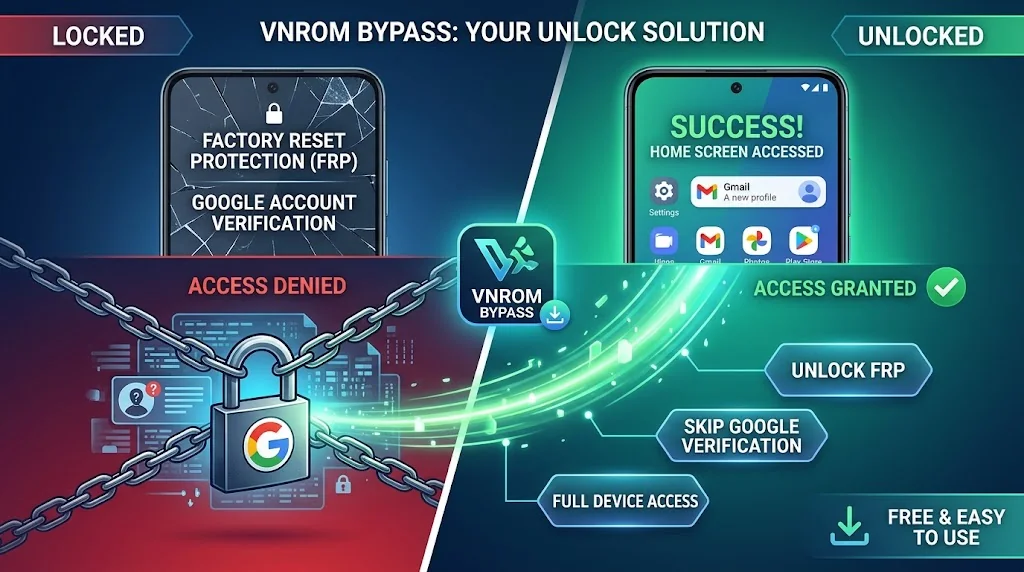
VNROM Bypass: Safety, Compatibility, and FRP Recovery Guide
VNROM bypass is a term associated with third-party resources that address Android Factory Reset Protection (FRP) and Google account verification. Whether a VNROM resource works depends on the device model, Android version, firmware, and security configuration. If your phone asks for the Google account previously linked to it, start with Google Account Recovery or contact the device manufacturer. VNROM is not an official Google recovery service.
Key Takeaways
- VNROM is associated with third-party FRP-related resources, not an official Google service.
- Android FRP helps prevent unauthorized use after certain factory resets.
- Compatibility varies by device, firmware, and security configuration.
- Unverified APK files can expose your device and personal information to security risks.
- Google Account Recovery and authorized manufacturer support are the safest starting points.
What Is VNROM Bypass?
VNROM bypass refers to third-party resources associated with Android FRP and Google account verification issues. People commonly search for VNROM when a phone requests account verification after a factory reset.
However, VNROM is not a universal solution for every Android phone. A resource that works on one device or firmware may not work on another. Its availability, compatibility, and safety also depend on the specific download and source.
Understanding Android Factory Reset Protection (FRP)
Factory Reset Protection is an Android security feature designed to discourage unauthorized use of a device after a factory reset. When a protected phone undergoes certain resets, Android may require the previous owner’s screen credentials or a Google account previously added and synced with the device.
According to Google’s device protection guidance, this verification helps ensure that someone who resets a protected phone has the necessary authorization.
FRP is particularly important when a phone gets lost, stolen, or reset without the owner’s permission.
What Is vnROM.net?
The name vnROM.net appears in searches for FRP-related tools and resources. Users may encounter APK files, tutorials, and links to applications associated with Android troubleshooting.
Do not assume that a page is official simply because it contains the VNROM name. Verify the domain, inspect download information, and avoid files that request unnecessary permissions or sensitive account credentials.
What Is a VNROM APK?
An APK is the Android application package format used to distribute and install Android applications. A VNROM APK generally refers to an application associated with a VNROM resource or FRP-related workflow.
The name alone does not establish whether a file is authentic, safe, compatible, or up to date. Check the source and file details before considering any third-party download.
VNROM FRP Bypass Versions and Compatibility
VNROM compatibility is not determined by the Android version alone. The phone manufacturer, exact model, firmware build, security patch, and device configuration can all affect whether a third-party tool works.
VNROM Bypass on Android 14, 15, and 16
Users frequently search for VNROM compatibility with Android 14, Android 15, and Android 16. However, there is no reliable basis for claiming that one VNROM version works on every device running any of these releases.
Android updates can change system behavior, available settings, and security protections. A guide written for an older Android build may therefore provide inaccurate instructions for a newer device.
Before relying on a compatibility claim, check whether the source identifies the exact phone model, firmware version, and test conditions. Treat unsupported statements such as “works on all Android versions” with caution.
Why Device Model and Security Patch Matter
Manufacturers can customize Android, and different devices may use different setup flows and security configurations. Samsung, Xiaomi, Redmi, OPPO, Vivo, Infinix, and ZTE phones should not be assumed to behave identically.
A compatibility table is useful only when it reflects verified information. If a guide does not identify its test device or firmware, consider its claims unconfirmed.
Is VNROM FRP Bypass Safe and Free?
Some third-party resources may be available without payment, but free access does not guarantee safety. Availability and pricing can also change, so verify any claims directly with the source.
Risks of Downloading APK Files From Unverified Websites
Third-party APK files can contain unwanted or malicious software. A misleading download button may also redirect users to unrelated websites or deceptive installation pages.
Before downloading an APK:
- Verify the website and the file’s stated publisher.
- Check whether the application has a trustworthy, verifiable source.
- Review requested permissions and question any that appear unrelated to its purpose.
- Keep Google Play Protect and other device security protections enabled.
- Avoid files that request Google passwords, verification codes, or other sensitive credentials.
A clean scan does not guarantee that a file is safe. Avoid disabling security protections merely to install an unknown application.
Legal and Ownership Considerations
Use recovery tools only on devices you own or have explicit permission to service. Do not use them to gain unauthorized access to another person’s phone.
If you purchased a used phone that remains linked to a previous owner’s account, ask the seller to resolve the issue or seek authorized support. A factory reset does not necessarily remove FRP.
How to Find and Evaluate VNROM Resources
Search results may include the original resource page, copied tutorials, APK mirrors, and unrelated downloads. Check the full domain name instead of relying on the VNROM label or a search snippet.
Before trusting a guide, confirm that it identifies its intended device and Android build, explains its limitations, and avoids unsupported promises. Check publication and update dates, and do not treat a recent date as proof that the instructions have been tested.
Avoid downloads that require unnecessary personal information or payment through suspicious third-party pages. If a resource offers no verifiable publisher information, use official recovery options instead.
Why Is VNROM Bypass Not Working?
A failed VNROM method does not necessarily indicate a problem with the phone. It may reflect an incompatible file, outdated instructions, or changes in the device’s security configuration.
Common Causes
- Incompatible Android version: Instructions may target a different Android build.
- Firmware differences: The same phone model may have different software configurations.
- Installation errors: An APK may be incomplete, incompatible, or blocked by security protections.
- Outdated instructions: Menus and system behavior can change after updates.
- Google account verification: The phone may still require an account previously synced with it.
Rather than repeatedly installing different APKs, identify the exact error message and check the device manufacturer’s support guidance.
What to Do if Your Android Phone Is Locked by FRP
If you own the device, use these legitimate recovery options before trying third-party tools.
1. Recover Your Original Google Account
Visit Google Account Recovery if you forgot your email address or password. Follow the prompts and provide the information requested to verify ownership.
Google advises users to avoid services that claim to recover passwords on Google’s behalf. Never share verification codes or passwords with such services.
2. Use an Account Previously Synced With the Device
Follow the phone’s setup instructions and enter a Google account that was previously added and synced with the device, where supported. A newly created account may not satisfy the device’s verification requirement.
If you manage multiple Google accounts, check which accounts contain the device or were previously used on it.
3. Allow for Account Security Restrictions
If you recently changed your Google password, the device may not accept the new credentials immediately. Follow the manufacturer’s guidance on any applicable waiting period instead of repeatedly attempting unverified fixes.
Samsung, for example, documents a possible waiting period after a password change for some Galaxy devices. The exact requirements may vary by device and situation.
4. Contact the Manufacturer or Authorized Service Center
If account recovery fails, contact the phone manufacturer or an authorized service center. Keep your proof of purchase and device details available, as the service provider may need them to verify ownership.
For a used phone, ask the seller to resolve the previous owner’s account lock before proceeding.
Advantages and Disadvantages of VNROM Bypass
Potential Advantages
- Provides a starting point for researching FRP-related resources.
- May help users understand common Android verification problems.
- Offers access to third-party documentation for some device configurations.
Limitations and Risks
- Compatibility is not universal.
- Downloads may come from unverified sources.
- Tutorials can become outdated.
- Third-party tools may request unnecessary permissions or make unsupported claims.
- The resource does not replace Google’s official account recovery process.
Evaluate the source and its evidence rather than assuming that a tool is effective because other websites mention it.
VNROM Bypass Alternatives
The right alternative depends on why the phone requests verification.
Google Account Recovery
This is the preferred option when you own the device but cannot remember the linked account or password. It allows you to recover access through Google’s established verification process.
Manufacturer-Supported Recovery
Check the support documentation for your exact phone model. Manufacturer guidance can help you understand account verification requirements and available service options.
Authorized Repair Services
If you cannot recover the linked account, an authorized service provider can explain the available options and required ownership documents.
Third-Party Android Unlocking Software
Some vendors advertise Android unlocking software, but their capabilities vary. Before paying, review supported models, firmware requirements, privacy policies, refund terms, and independent evidence. Do not assume that a product can legitimately remove every FRP lock.
Frequently Asked Questions
1 – Is VNROM Bypass Still Available in 2026?
VNROM-related pages may remain accessible, but availability can change. Verify the actual website and its current resources before trusting a download.
2 – Is VNROM Bypass Safe to Download?
Not automatically. Safety depends on the specific file, source, and permissions. Avoid unknown APKs and keep device security protections enabled.
3 – Does VNROM Bypass Work on Android 14, 15, and 16?
There is no universal compatibility guarantee for these Android versions. Check the exact model, firmware, and independently verifiable testing evidence.
4 – Can VNROM Work on Samsung, Xiaomi, OPPO, Vivo, or Infinix?
Compatibility can differ between manufacturers, models, and firmware builds. Do not assume that instructions for one device apply to another.
5 – Can a Factory Reset Remove FRP?
A factory reset does not necessarily remove FRP. A protected device may require verification using a previously synced Google account or another supported ownership credential.
Conclusion
VNROM bypass is a search term associated with third-party Android FRP resources, but it should not be treated as a guaranteed solution for every locked phone. Compatibility depends on the device and its software configuration, while unverified APKs can create additional security risks.
If your own Android phone requests Google account verification after a reset, start with Google’s official recovery process. If that fails, contact the manufacturer or an authorized service center with proof of ownership. This approach provides a clearer, safer path than relying on unverified bypass claims.
You May Also Read It : Amazon Vine Login Guide





One Comment
Comments are closed.