Compass Mobile Dollar Tree: Login, Schedule and Employee Portal Guide
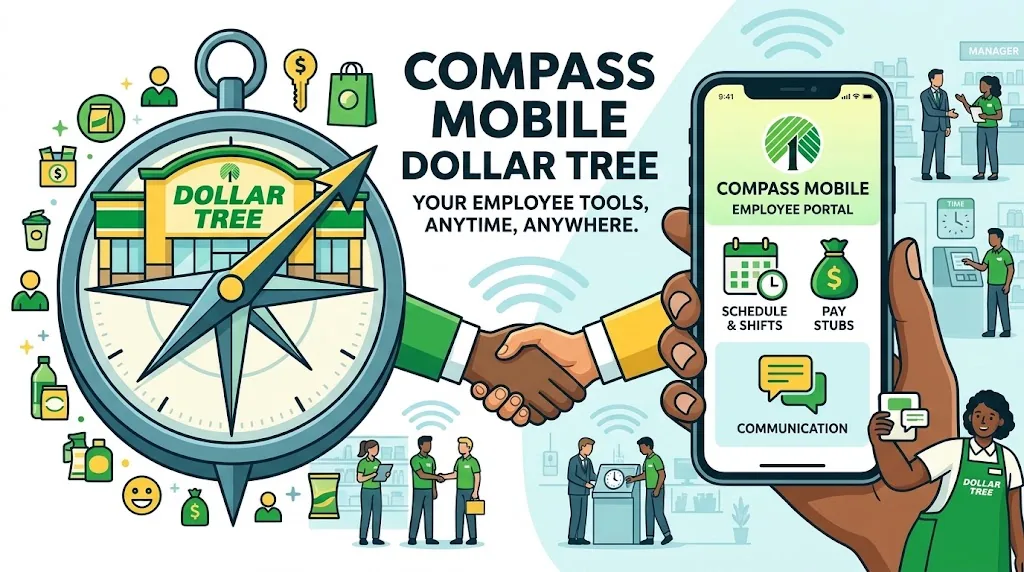
Compass Mobile Dollar Tree helps employees look for information related to their work schedules and employee accounts. If you need to sign in, check your upcoming shifts, or resolve a login problem, start with the official portal at compassmobile.dollartree.com.
The exact features available may depend on your account and Dollar Tree’s current systems. If the portal does not accept your credentials or does not display your schedule, contact your store manager or the appropriate official support channel rather than relying on unverified password instructions from third-party websites.
Key Takeaways
- Use the official Compass Mobile website to attempt employee login.
- Sign in with the credentials provided through your authorized employee onboarding process.
- Check your work schedule through the portal if your account supports that feature.
- Payroll documents and other HR services may use separate systems.
- Never share your employee password or sensitive personal information with an unofficial website.
- Contact authorized support if you cannot access your account.
What Is Compass Mobile Dollar Tree?
Compass Mobile Dollar Tree is commonly associated with employee access to work-related information, particularly scheduling and workforce management.
Employees may use the portal to view available schedule information and access supported employee services. However, not every feature described on third-party websites will necessarily appear in every account.
It is also important to distinguish the official employee portal from independent websites that publish login instructions. Techmexa provides informational guidance; it does not operate Dollar Tree’s employee systems.
How to Log In to Compass Mobile Dollar Tree
Follow these steps to attempt access to your employee account.
- Open a browser such as Chrome, Safari, or Edge.
- Enter compassmobile.dollartree.com directly in the address bar.
- Check that the page remains on the official Dollar Tree domain.
- Enter the employee username and password provided through your authorized onboarding process.
- Select the login option and wait for the account dashboard to load.
- Open the available scheduling section to find your work information.
If you are a new employee, ask your store manager how to obtain your credentials. Do not assume that a password formula published by an unofficial website applies to your account.
How to Check Your Dollar Tree Work Schedule
Once you have signed in, look for the schedule or workforce-management section available to your account. The portal interface may change, so follow the labels displayed on your screen.
Using an Android Phone
- Open Chrome or another trusted mobile browser.
- Visit the Compass Mobile login page.
- Enter your authorized employee credentials.
- Open the schedule section if it appears on your dashboard.
- Review your upcoming shifts and confirm the dates and times.
Using an iPhone or iPad
- Open Safari or another trusted browser.
- Navigate to the Compass Mobile website.
- Sign in with your employee account.
- Find the available scheduling information.
- Contact your manager if the schedule is missing or appears outdated.
Using a Desktop or Laptop
A desktop browser can make it easier to read schedule details. Open the portal, sign in, and navigate to the scheduling area. If you cannot access the website, try another updated browser before assuming that your account has a problem.
Always confirm significant schedule changes with your manager when the portal does not provide clear or current information.
Key Features of the Compass Mobile Dollar Tree Portal
The portal’s available features depend on the employee account and the systems currently in use.
View Work Schedules and Shift Information
The primary reason many employees visit Compass Mobile is to check their shifts. If scheduling information appears in your account, review the dates and working hours carefully.
If a shift is missing, contact your manager instead of assuming that the schedule has not changed.
Access Pay Stubs and W-2 Forms
Do not assume that Compass Mobile provides access to every payroll document. Dollar Tree may use separate systems for workforce management, payroll, tax forms, and employee benefits.
For current pay statements or tax documents, ask your manager or HR representative which official payroll service applies to your employment records. This is particularly important if you are trying to retrieve older documents or access records after leaving the company.
Request Time Off and Manage Shift Changes
Some workforce-management systems support time-off requests and shift changes. However, you should only expect these options if Dollar Tree has enabled them for your account.
If the relevant option does not appear, ask your manager about the approved procedure. Submitting a request does not necessarily mean that your manager has approved it.
Find Employee Information and Company Announcements
Check the dashboard for any employee information or announcements available to you. If a particular feature is missing, it may belong to a separate company system rather than Compass Mobile.
How to Access Compass Mobile on a Phone or Computer
Compass Mobile can be accessed through its web address. Use an updated browser and a reliable internet connection for the best experience.
Is There an Official Compass Mobile Dollar Tree App?
Do not assume that an application advertised by a third-party website is an official Dollar Tree app. The safest starting point is the portal at compassmobile.dollartree.com.
If you find an app claiming to provide Dollar Tree employee login services, verify its publisher through an official company source before installing it. Avoid apps that request employee credentials without clear authorization.
You can also bookmark the verified portal in your browser. This makes it easier to return to the correct website without searching for login links each time.
First-Time Login and Employee Account Setup
New employees should obtain login instructions from their store manager or the authorized onboarding team.
The exact setup process may vary depending on the account and the system Dollar Tree currently uses. Follow the instructions provided through official channels rather than entering sensitive information into a registration page found through a search engine.
If the portal does not recognize your credentials, confirm that your account has been created and activated. Your manager or authorized support team can help identify the correct login procedure.
How to Reset Your Compass Mobile Dollar Tree Password
If you cannot remember your password, open the official portal and check whether it provides a password-recovery option.
If a recovery option appears, follow its instructions. Otherwise, contact the appropriate support team or your manager to learn how to reset your account.
Avoid repeatedly guessing passwords. Repeated unsuccessful attempts may trigger additional account restrictions, depending on the authentication system.
Never send your current password or sensitive identity information to an unofficial website claiming to provide account recovery.
Compass Mobile Dollar Tree Login Troubleshooting
If the portal does not work as expected, identify the specific problem before trying different solutions.
Incorrect Username or Password
Check for typing errors, extra spaces, and incorrect capitalization. Make sure you are using the credentials associated with the correct employee account.
If the details still fail, contact your manager or authorized support team to verify your login information.
Forgot Password or Locked Account
Use the official recovery process if one is available. If you cannot reset the password or the account appears locked, request assistance through an authorized support channel.
Avoid following password-reset instructions from websites that cannot verify their connection to Dollar Tree.
Portal Not Loading or Showing a Blank Screen
Try these basic troubleshooting steps:
- Refresh the page.
- Check your internet connection.
- Open the website in another updated browser.
- Clear the browser’s cached data if the problem continues.
- Try again later if the service appears temporarily unavailable.
Clearing browser data may sign you out of websites, so make sure you know how to access your other accounts before proceeding.
Work Schedule Not Appearing
A missing schedule does not automatically mean that your account is broken. The information may be unavailable, your account may need attention, or the schedule may require confirmation from management.
Sign out, sign in again, and check the scheduling section. If the information remains missing or appears incorrect, contact your store manager.
Browser Cache, Cookies and Compatibility Issues
An outdated browser or corrupted cached data can sometimes interfere with website functionality.
Update your browser first. If the problem persists, try opening the portal in a private browsing window. If that resolves the issue, review the browser’s stored website data.
Do not disable essential security protections just to make a login page work.
Portal Unavailable or Connection Error
If the website fails to load across different browsers or devices, the service may be temporarily unavailable, or a network issue may be interfering with access.
Wait briefly and try again. If you need your schedule urgently, contact your manager directly rather than relying on the portal to become available.
Is Compass Mobile Dollar Tree Safe to Use?
The most important precaution is to verify the website before entering employee credentials.
- Type the portal address directly into your browser.
- Confirm that the domain is
dollartree.comor an authorized subdomain of it. - Check the full address after any redirect.
- Avoid login forms hosted on unrelated domains.
- Never share your password through unsolicited messages or third-party support websites.
HTTPS alone does not prove that a website belongs to Dollar Tree. A fraudulent website can also use an encrypted connection.
The US Federal Trade Commission provides additional guidance on recognizing and avoiding phishing attempts in its consumer advice on phishing.
Techmexa does not collect employee login credentials and cannot reset or unlock Dollar Tree accounts.
Contact Dollar Tree Support for Login Problems
If you have tried the basic troubleshooting steps without success, contact your store manager or the appropriate Dollar Tree support team.
Explain the issue clearly. For example, tell them whether the portal rejects your credentials, displays a blank page, or fails to show your schedule.
Never include your password or full Social Security number in an ordinary support message. Use only contact methods verified through official company channels.
Frequently Asked Questions
1 – What is Compass Mobile Dollar Tree used for?
Compass Mobile is associated with Dollar Tree’s employee workforce-management portal. Employees use it to access supported work-related information, particularly scheduling.
2 – How do I log in to Compass Mobile Dollar Tree?
Visit compassmobile.dollartree.com, then enter your authorized employee credentials. If you cannot sign in, contact your manager or the appropriate support team.
3 – How can I check my Dollar Tree work schedule online?
Sign in to the portal and open the scheduling section available to your account. If your shifts do not appear, ask your manager to confirm your schedule.
4 – Is there a Compass Mobile app for Android or iPhone?
Start with the official web portal in your mobile browser. Before installing any application claiming to provide Compass Mobile access, verify its authenticity through Dollar Tree’s official channels.
5 – How do I recover my employee login credentials?
Use the recovery option provided by the official portal if available. Otherwise, ask your manager or authorized support team for the correct recovery procedure.
6 – Can I access Compass Mobile outside work?
Access depends on your account permissions and the portal’s current requirements. Try signing in through the official website, and contact your manager if access fails.
7 – What should I do if my schedule is not loading?
Refresh the page, check your connection, try another updated browser, and sign in again. If the schedule remains unavailable, ask your manager to confirm your shifts.
8 – Where can I get help with employee portal access?
Your store manager or an authorized Dollar Tree support channel is the appropriate starting point. Avoid unofficial websites that request your credentials to provide assistance.
Conclusion
Compass Mobile Dollar Tree provides a starting point for employees who need to access their work-related scheduling information. Visit the official portal, use your authorized credentials, and follow the troubleshooting steps if you encounter login problems.
For missing schedules, password recovery, or questions about payroll documents, contact the appropriate company representative. Verify the website before entering sensitive information, and rely on official support when account-specific guidance is needed.
You May Also Read It : Crew CloudySocial