
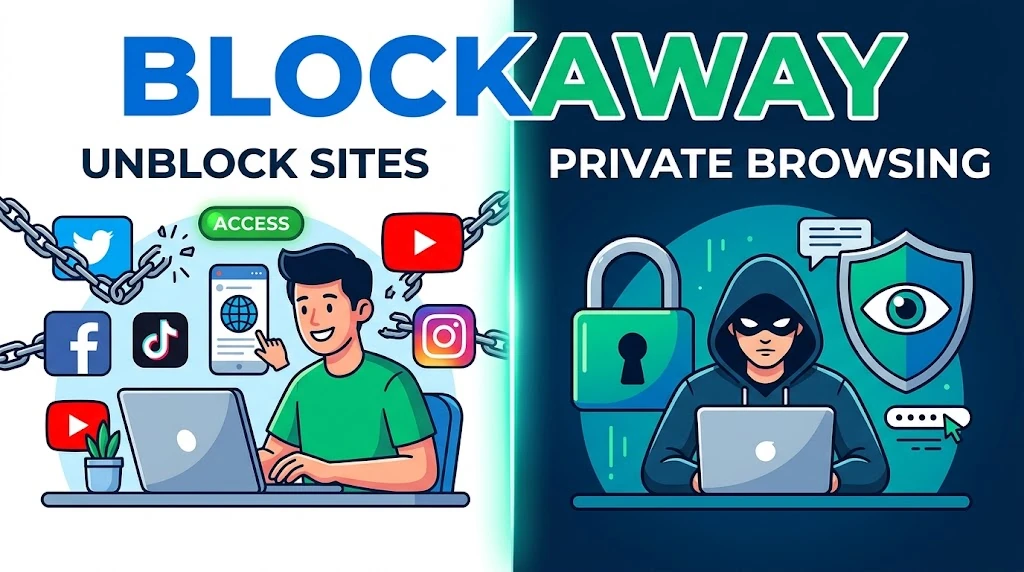
BlockAway Proxy: Features, How to Use It, and Is It Safe?
BlockAway is a free, browser-based web proxy that helps users access websites through an intermediary server without installing separate software. It can help with certain network restrictions and mask your IP address from the websites you visit through the proxy. However, it does not guarantee complete anonymity or protect all internet traffic on your device.
Key Takeaways
- BlockAway provides browser-based access to websites through a proxy server.
- You can use the service without configuring a traditional VPN.
- It may help access certain restricted websites, but it cannot bypass every block.
- IP masking does not guarantee complete online anonymity.
- A web proxy is not a replacement for a full-device VPN or comprehensive security software.
- Avoid entering sensitive information through an untrusted proxy.
What Is BlockAway Proxy?
BlockAway is a web proxy service designed to make website access easier when network restrictions prevent direct browsing. Instead of connecting directly to a destination website, your browser sends requests through BlockAway’s proxy infrastructure.
The service focuses on straightforward browsing. Users can enter a website address and attempt to access its content through the proxy without installing a browser extension or configuring a separate application.
However, actual compatibility depends on the destination website, the proxy connection, and any restrictions imposed by the website or network.
How Does BlockAway Work?
A web proxy acts as an intermediary between your browser and the website you want to visit.
When you enter a destination URL through BlockAway, the request passes through the proxy server. The server then requests the website’s content and returns the response to your browser.
This process can change the IP address that the destination website sees. Instead of seeing your original public IP address for the proxied request, the destination may see the proxy server’s IP address.
Key Steps in the Process
- Open the BlockAway website.
- Enter the address of the website you want to visit.
- Start the browsing session using the available control.
- Allow the proxy to retrieve the requested page.
- Browse the returned content if the destination loads successfully.
This arrangement can help with some IP-based restrictions. However, websites may still identify proxy traffic through other signals, and some services may refuse connections from known proxy servers.
Key Features of BlockAway Proxy
BlockAway’s main appeal is its browser-based approach. The following features explain why users may consider it for general browsing.
IP Address Masking
A proxy can hide your original public IP address from a destination website by making requests through its own server.
However, IP masking is not the same as complete anonymity. Websites may still identify users through account logins, cookies, browser characteristics, and other tracking methods.
Browser-Based Access
BlockAway does not require users to configure a conventional VPN connection for basic browser-based access. This makes the service relatively straightforward to try.
Its proxy protection generally applies to browsing conducted through the service, not automatically to every application on your computer or phone.
Access to Restricted Websites
Some websites restrict access based on IP addresses, network rules, or geographic location. A web proxy may help when the restriction depends on the connection’s source IP address.
Success is not guaranteed. Websites can block proxy connections, require additional verification, or restrict particular content independently.
Video and Social Media Access
BlockAway promotes access to video websites and social platforms. However, media playback and interactive features can vary between websites.
Streaming services may block proxy traffic, while some pages may load incorrectly because the proxy cannot handle every script, redirect, or embedded resource.
Desktop and Mobile Browsing
You can attempt to use BlockAway through a compatible browser on a desktop computer, tablet, or smartphone. Since the service runs through a website, basic use does not necessarily require a separate application.
Actual performance depends on your browser, network connection, and the destination website.
Advantages and Disadvantages of BlockAway
Understanding the benefits and limitations helps you decide whether BlockAway suits your browsing needs.
Advantages
- Simple setup: Enter a website address instead of configuring a traditional proxy connection.
- Browser-based access: Basic use does not require a dedicated VPN application.
- IP masking: Destination websites may see the proxy’s IP address instead of yours.
- Potential access to restricted pages: The service may help when restrictions rely on IP addresses or network filtering.
- Convenience: You can try the service from a compatible desktop or mobile browser.
Disadvantages
- Limited protection: A browser proxy does not automatically protect all device traffic.
- Variable speed: Proxy routing can introduce delays or connection problems.
- Website compatibility: Some pages, videos, and interactive features may not work correctly.
- Privacy uncertainty: Your trust depends partly on the proxy operator’s actual data-handling practices.
- Detection and blocking: Destination websites can identify and reject proxy connections.
These limitations are common considerations when evaluating browser-based proxy services.
How to Use BlockAway Proxy
Follow these steps to try BlockAway.
- Visit the official BlockAway website.
- Locate the website address field on the page.
- Enter the URL of your intended destination.
- Use the displayed button or control to start browsing.
- Check whether the destination loads and whether its essential features work.
If the page fails to load, confirm that the destination address is correct. You can also try another browser or network connection to identify whether the problem originates from your browser, local network, or the proxy service.
How to Use BlockAway on Android and iPhone
Open BlockAway in a compatible mobile browser and follow the same basic process.
If the website displays incorrectly, try refreshing the page or using another supported browser. Remember that using BlockAway in a mobile browser does not automatically route traffic from other mobile applications through the proxy.
Is BlockAway Safe to Use?
BlockAway should not be treated as a guarantee of anonymous or completely secure browsing. A proxy can change the IP address visible to a destination website, but that alone does not establish how the operator handles browsing data or protect you against every online threat.
Before using BlockAway, review its official privacy policy. The policy describes information collection and the use of log files, so users should not assume that the service never processes or records browsing-related information.
Privacy and Security Risks
Consider these risks before using any free web proxy:
- Sensitive information: Avoid entering banking credentials, payment information, or confidential business data through an untrusted service.
- Tracking: Cookies, account logins, and browser characteristics can still identify or track users.
- Untrusted operators: A proxy operator may process traffic that passes through its infrastructure.
- HTTPS limitations: HTTPS protects the connection between your browser and a destination when configured correctly, but it does not eliminate every privacy risk associated with an intermediary service.
- Malicious redirects: Check destination URLs carefully and avoid suspicious downloads or unexpected login requests.
How to Browse More Safely
Use HTTPS websites, keep your browser updated, and avoid installing unfamiliar extensions or downloading files from untrusted sources. For sensitive activities, choose a privacy tool with transparent policies and security practices appropriate to your needs.
BlockAway Free vs. Premium
The official BlockAway.net page presents the service as free. Before relying on specific claims about paid plans, unlimited bandwidth, server locations, or additional features, verify that the details appear on the current official website.
Do not confuse BlockAway.net with other websites using similar names or branding. Different domains may operate separate services with different pricing, privacy policies, and technical capabilities.
BlockAway vs. VPN: Which Is Better?
BlockAway and a virtual private network (VPN) serve different purposes.
| Feature | BlockAway web proxy | VPN |
|---|---|---|
| Setup | Browser-based access | Usually requires an app or system configuration |
| Traffic coverage | Browsing through the proxy | Can cover device traffic, depending on configuration |
| IP masking | For proxied requests | For traffic routed through the VPN |
| Website restrictions | May help with some blocks | May help with some IP-based restrictions |
| Privacy | Depends on proxy implementation and policies | Depends on provider, configuration, and policies |
| Best use | Convenient access to certain websites | Broader connection protection and IP masking |
A VPN is generally more appropriate when you need to route traffic from multiple applications through a protected connection. A web proxy may be sufficient for occasional browsing when its limitations are acceptable.
Neither option guarantees complete anonymity. Your choice should depend on your security requirements and the provider’s trustworthiness.
Best BlockAway Alternatives
If BlockAway does not work for your destination, you can evaluate other services.
CroxyProxy
CroxyProxy is a browser-based web proxy. Check its current compatibility, privacy documentation, and performance before relying on it for a particular website.
ProxySite
ProxySite offers another browser-based proxy option. Its available functionality and access to specific destinations may vary.
VPN Services
If you need broader traffic coverage or a more consistent privacy setup, compare reputable VPN providers. Review their privacy policies, security features, connection options, and independent assessments instead of relying solely on marketing claims.
Common BlockAway Problems and How to Fix Them
BlockAway Is Not Loading
Refresh the page, verify the official domain, and test your internet connection. If the service remains unavailable, the issue may involve the proxy server or a network restriction.
The Destination Website Is Blocked
The destination may detect proxy traffic or enforce restrictions beyond IP-based filtering. A different legitimate connection method may work, but no proxy can guarantee access to every website.
BlockAway Is Running Slowly
Proxy routing can add latency. Try again later, close unnecessary browser tabs, or compare the result with direct access to the destination.
Videos or Website Features Are Not Working
Some websites depend on scripts, cookies, embedded resources, or authentication flows that do not work reliably through a proxy. Try refreshing the page, but do not assume that every feature will be supported.
CAPTCHA Challenges or Proxy Detection
Websites may require CAPTCHA verification or block requests from proxy IP addresses. Follow the website’s verification process and its access rules rather than attempting to defeat security controls.
Common Use Cases for BlockAway
BlockAway may be useful for general browsing, accessing publicly available information, and testing whether a website is reachable through a different IP address.
It may also help users investigate regional website availability, provided they respect the destination’s terms and applicable laws.
However, it is not a reliable solution for every school or workplace restriction, nor is it an appropriate substitute for secure access controls or comprehensive privacy protection.
Frequently Asked Questions
1 – Is BlockAway free?
BlockAway.net presents its proxy service as free. Verify the current website for any changes to its features or access conditions.
2 – Do I need an account to use BlockAway?
Basic use is designed around entering a destination URL through the website. Check the current interface for any requirements that apply to particular features.
3 – Does BlockAway hide my real IP address?
It can mask your original IP address from a destination website for requests routed through the proxy. This does not guarantee complete anonymity.
4 – Can BlockAway protect all my device traffic?
No. Browser-based proxy use does not automatically route traffic from every application on your device.
5 – Does BlockAway work with YouTube and streaming platforms?
The service promotes access to video websites, but playback depends on compatibility, network conditions, and destination restrictions.
6 – Can websites detect BlockAway?
Yes. Websites can identify or block proxy traffic using IP reputation and other detection methods.
Conclusion
BlockAway is a convenient browser-based proxy for users who want to try accessing websites through an intermediary server without installing separate software. Its main benefits are simple access and IP masking for proxied browsing.
However, it does not guarantee that every website will work, and it should not be treated as a complete privacy or security solution. Review the official privacy policy, avoid transmitting sensitive information through an untrusted proxy, and consider a reputable VPN when you need broader traffic protection.
The best choice depends on what you want to access and the level of privacy your activity requires.
You Might Also Like It : Software Keepho5ll



2 Comments
Comments are closed.